💾 Backup and Restore Form Data
The Backup and Restore feature helps you save your plugin settings and restore them later when needed.
This is useful for migrating, restoring, or duplicating configurations across websites.
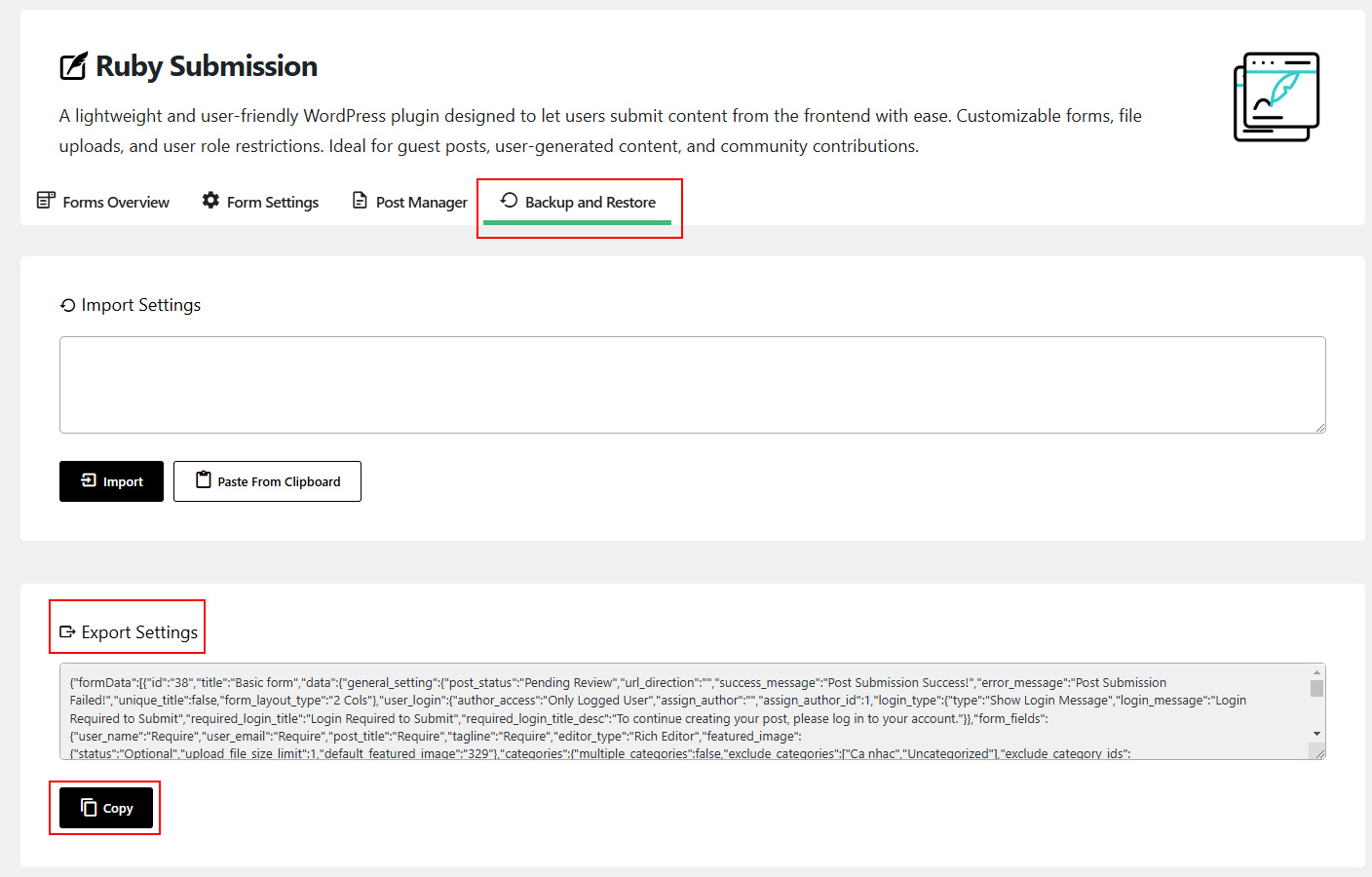
🔄 Backup Data
Follow these steps to export your Easy Post Submission settings:
- Go to your WordPress dashboard
- Open Easy Post Submission → Backup and Restore tab
- Under the Export Settings section, click the Copy button
- Save the copied data to a safe location (e.g., text file or secure cloud)
♻️ Restore Data
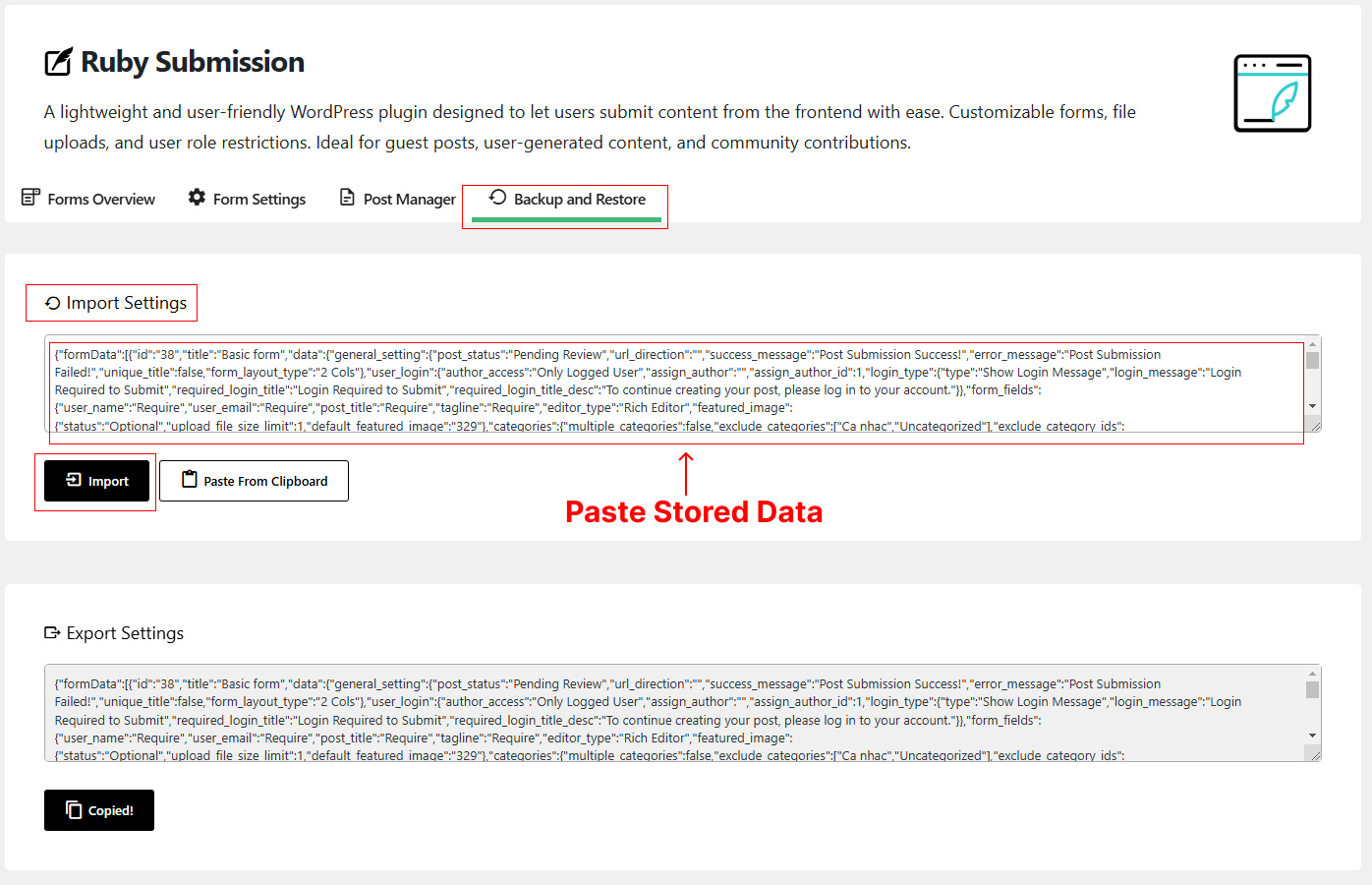
To import previously saved settings:
- Go to Easy Post Submission → Backup and Restore tab
- In the Import Settings section, paste the backup data into the provided field
- Click the Import button
✅ Tips
- Always backup before making major changes to your form settings
- Store backup data in a safe and secure location
- You can reuse the same backup on other WordPress sites using the same plugin
🛠 Troubleshooting
- Make sure you copied all the backup data before restoring
- If restore doesn’t work, check that the data format is correct (no extra spaces or characters)
- Refresh the settings page after import to confirm changes
Need help? Check out the FAQs or Contact Support.